ANPR · verification
↑Vehicle identity
The identity panel brings the detected registration number, ANPR confidence, vehicle type, transporter, driver, and verification state together before the weighing is captured.
WB-MS Pro is a full-fledged desktop application for weighbridge operations. Start with the Command Center below, then follow each numbered area to understand how the screen supports a vehicle’s weighing journey.
Public demo link is not available yet.
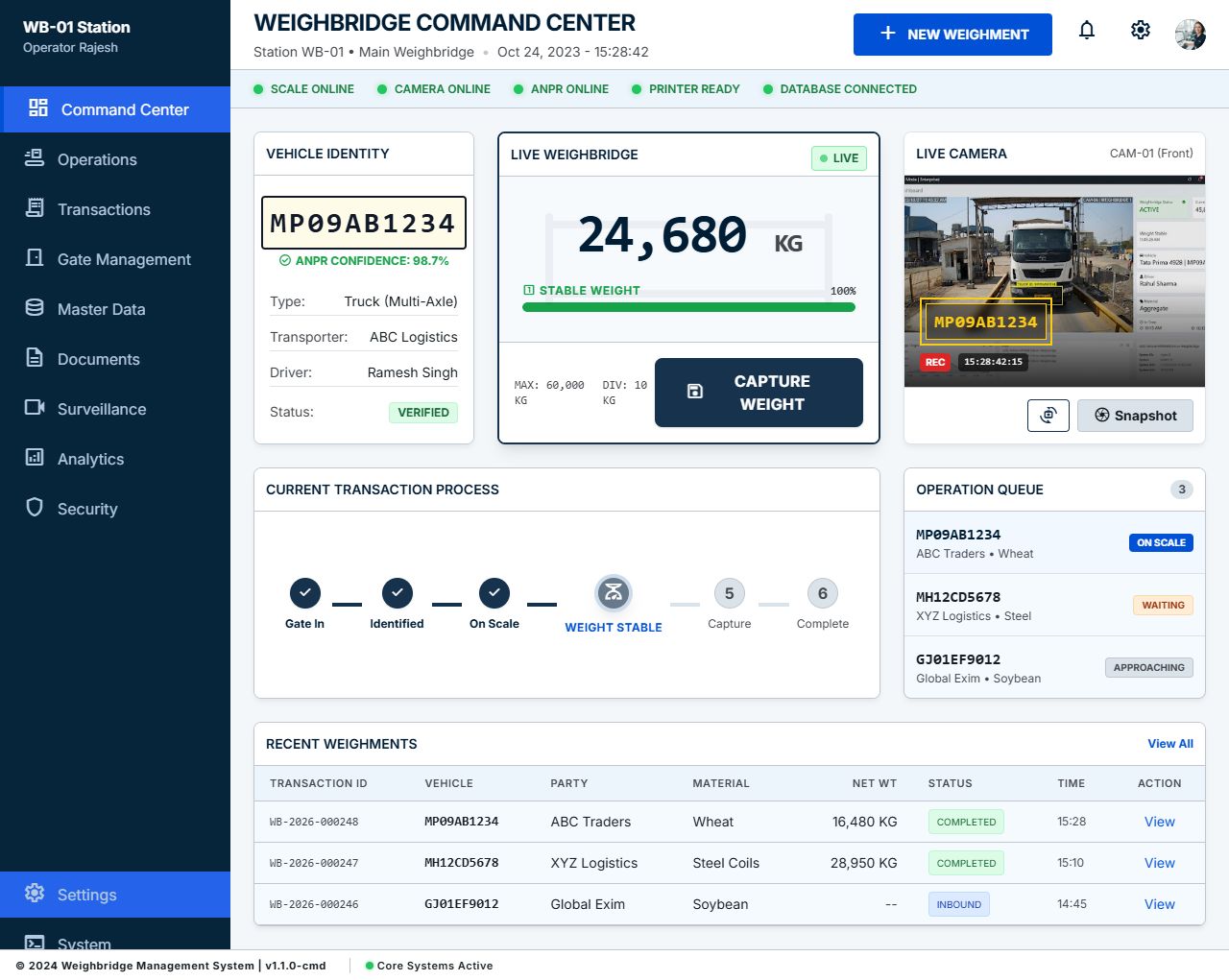
The image shows one real dashboard screen. These callouts explain the visible areas and how they fit into the weighing workflow.
The identity panel brings the detected registration number, ANPR confidence, vehicle type, transporter, driver, and verification state together before the weighing is captured.
The central scale panel shows the live weight, stability state, and scale capacity. The operator can capture a weight once the reading is stable.
The camera panel provides a live vehicle view alongside the detected plate and recording status, giving the operator a visual check during the transaction.
A step-by-step progress line tracks the transaction from gate entry and vehicle identification through stable weight, capture, and completion.
The queue keeps the active vehicle and upcoming arrivals visible, with a short status for each vehicle so the operator can see what needs attention next.
The recent-weighments table summarizes transaction ID, vehicle, party, material, net weight, status, and time, with a direct action to view a record.
A status strip reports the scale, camera, ANPR, printer, and database connections so operators can spot equipment or connectivity issues quickly.
AI sales consultant